From local chat to personal AI infrastructure with …
In the previous article we explored how to install LMStudio, download models, and use them through …
read moreDiscord has announced the global rollout of its teen-by-default settings, an age verification layer that, starting March 2026, will restrict every user’s experience to an adolescent-oriented profile by default. To unlock certain settings or access restricted content, the platform will require an age verification process that may involve facial estimation or submitting government-issued ID to third-party providers.
The stated goal is to protect minors. In practice, for many adult users, the outcome is that a platform they relied on for private calls with their group now demands biometric data or official documentation just to keep using it normally. Couple that with the leak of identity documents from a third-party Discord provider in October 2025, and the backlash is hardly surprising.
This article isn’t about ditching Discord on principle or dramatizing changes that, in context, have a legitimate justification. It’s about something more practical: if all you need from Discord is private calls with your team, your friend group, or a small community, you can build your own infrastructure and stop depending on a platform’s unilateral decisions. It’s not about replacing Discord — it’s about having options when the rules change.
Nextcloud Talk is a self-hosted communication platform that’s part of the Nextcloud ecosystem. It offers chat, audio calls, video calls, screen sharing, and webinars, all bundled into a single application running on your own server. It’s free, open-source software designed from the ground up with user privacy in mind. Your conversations, shared files, and calls never touch third-party servers — everything happens on infrastructure you control.
The approach is similar to what we’ve explored in other posts on this blog with tools like LMStudio or self-hosted VPNs: moving from consuming a service to owning the solution within your own infrastructure. It’s not magic, it’s infrastructure. Nextcloud Talk uses WebRTC for real-time communications, has native apps for Android and iOS, and supports public rooms accessible via link without requiring participants to have an account. That last point is especially useful when you want to invite someone external to a one-off call without forcing them to sign up or install anything.
The value proposition is straightforward: full control over your data, no vendor lock-in, no unilateral policy changes affecting how you use the tool, and the guarantee that your communication is as private as your own server’s security. If you already run a Nextcloud instance for files or calendar, Talk plugs in as just another app. If you don’t, this article shows you how to get started.
Before going further, let’s be very clear about something: Nextcloud Talk does not replace Discord. It doesn’t replicate the social structure of public servers with themed channels, it doesn’t have a comparable granular role system, there’s no bot marketplace, no community discovery, and no gaming integrations. Discord is a full ecosystem built over years for a very specific use case: massive communities, gaming, and online socializing. Trying to replicate that with Talk would be like trying to replace a shopping mall with your living room.
What Talk does cover is a specific, well-executed subset: audio and video calls (one-on-one and group), threaded chat, screen sharing, password-protected private rooms, link-based access for guests without accounts, and the ability to record meetings. For a work team, a group of friends who get together to game online, or a small community that meets weekly, this might be everything you need.
| Aspect | Discord | Nextcloud Talk |
|---|---|---|
| Privacy / data control | Data on Discord’s servers, subject to their policies | Data on your server, full control |
| Self-hosted | No | Yes, that’s its whole point |
| Calls / video calls | Excellent quality, global servers | Good quality, depends on your infrastructure |
| Chat | Channels, threads, roles, bots, integrations | Basic chat with threads, functional but limited |
| Link access (no account) | No, requires a Discord account | Yes, public rooms accessible via link |
| Bots / integrations | Massive ecosystem | Nextcloud integrations (files, calendar) |
| Cost | Free (with optional Nitro) | Free (software), server cost |
| Maintenance | Zero (Discord handles it) | Your responsibility (updates, backups, TLS) |
| Scalability | Thousands of simultaneous users | Tens/hundreds, depends on hardware |
It’s worth stressing a few points to keep expectations in check. Self-hosting is not “zero maintenance.” You’ll need to manage Nextcloud and plugin updates, keep regular backups, configure TLS certificates if you expose the service to the internet, and monitor that everything keeps running smoothly. It’s not a huge burden if you’re already familiar with server administration, but it’s not install-and-forget either.
The mobile experience with Talk’s apps is functional and has improved a lot, but it doesn’t match Discord’s polish or fluidity. For large communities where you need to manage hundreds of users with differentiated roles, category-organized channels, and moderation bots, Discord remains the right tool. Talk shines in the opposite scenario: small groups, private communication, and full control.
Let’s get practical. This section walks you through deploying a Nextcloud instance with Talk using Nextcloud All-in-One (AIO), the officially recommended installation method. AIO bundles Nextcloud with a PostgreSQL database, Redis cache, and the components needed for Talk to work, including a built-in TURN server. All orchestrated with Docker Compose.
Prerequisites: this deployment assumes you have a server (VPS, dedicated machine, or similar) with Docker and Docker Compose installed, a domain with DNS pointing to your server’s public IP, and ports
80,443, and8080accessible. AIO handles TLS certificate provisioning via Let’s Encrypt, database configuration, and internal container orchestration. What falls outside the scope of this article: server hardening, firewall configuration, backup strategy, and monitoring. These are essential for any internet-facing service, and we assume that if you’re deploying your own server, you already have a handle on them.
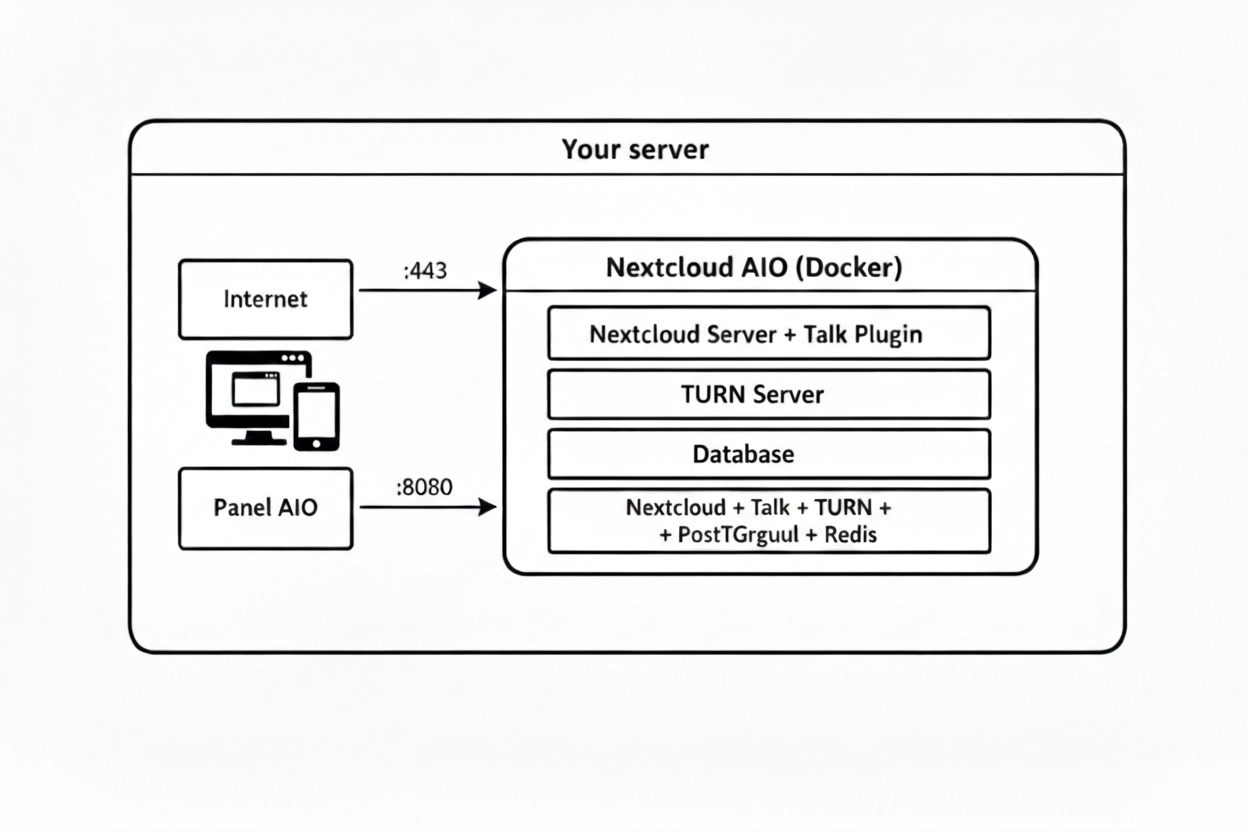
AIO manages two flows. The admin panel (port 8080) is where you configure the instance, enable components, and monitor status. User traffic comes in through port 443 with TLS managed automatically by AIO via Let’s Encrypt. Internally, AIO orchestrates several Docker containers: Apache with Nextcloud, PostgreSQL, Redis, Talk’s signaling server, and coturn (TURN/STUN).
The compose.yaml file is surprisingly simple. AIO handles the complexity internally:
  services:
    nextcloud-aio-mastercontainer:
      image: ghcr.io/nextcloud-releases/all-in-one:latest
      init: true
      restart: always
      container_name: nextcloud-aio-mastercontainer
      volumes:
        - nextcloud_aio_mastercontainer:/mnt/docker-aio-config
        - /var/run/docker.sock:/var/run/docker.sock:ro
      ports:
        - "80:80"
        - "8080:8080"
        - "8443:8443"
      environment:
        - APACHE_PORT=11000
        - APACHE_IP_BINDING=0.0.0.0

  volumes:
    nextcloud_aio_mastercontainer:
      name: nextcloud_aio_mastercontainer
What each piece does:
80: required for Let’s Encrypt’s HTTP challenge when obtaining TLS certificates.8080: AIO’s admin panel. This is where you configure and monitor everything.8443: HTTPS access to Nextcloud once deployed.APACHE_PORT=11000: internal port where AIO’s Apache listens. AIO manages inter-container communication automatically.APACHE_IP_BINDING=0.0.0.0: allows connections from any network interface./var/run/docker.sock mount: AIO needs access to the Docker socket to create and manage internal containers (PostgreSQL, Redis, Apache, Talk, coturn, etc.).Start the master container:
docker compose up -d
Open the AIO panel at https://your-server:8080. The interface will display an automatically generated admin password: save it, you’ll need it to access this panel in the future.
The setup wizard will ask for:
nextcloud.yourdomain.com). AIO will verify that the domain resolves correctly to your server’s IP and that the required ports are accessible.The first run takes several minutes: AIO downloads all component images, generates TLS certificates, initializes the database, and configures Talk’s signaling with its built-in TURN server.
Once complete, access your Nextcloud instance at:
https://nextcloud.yourdomain.com
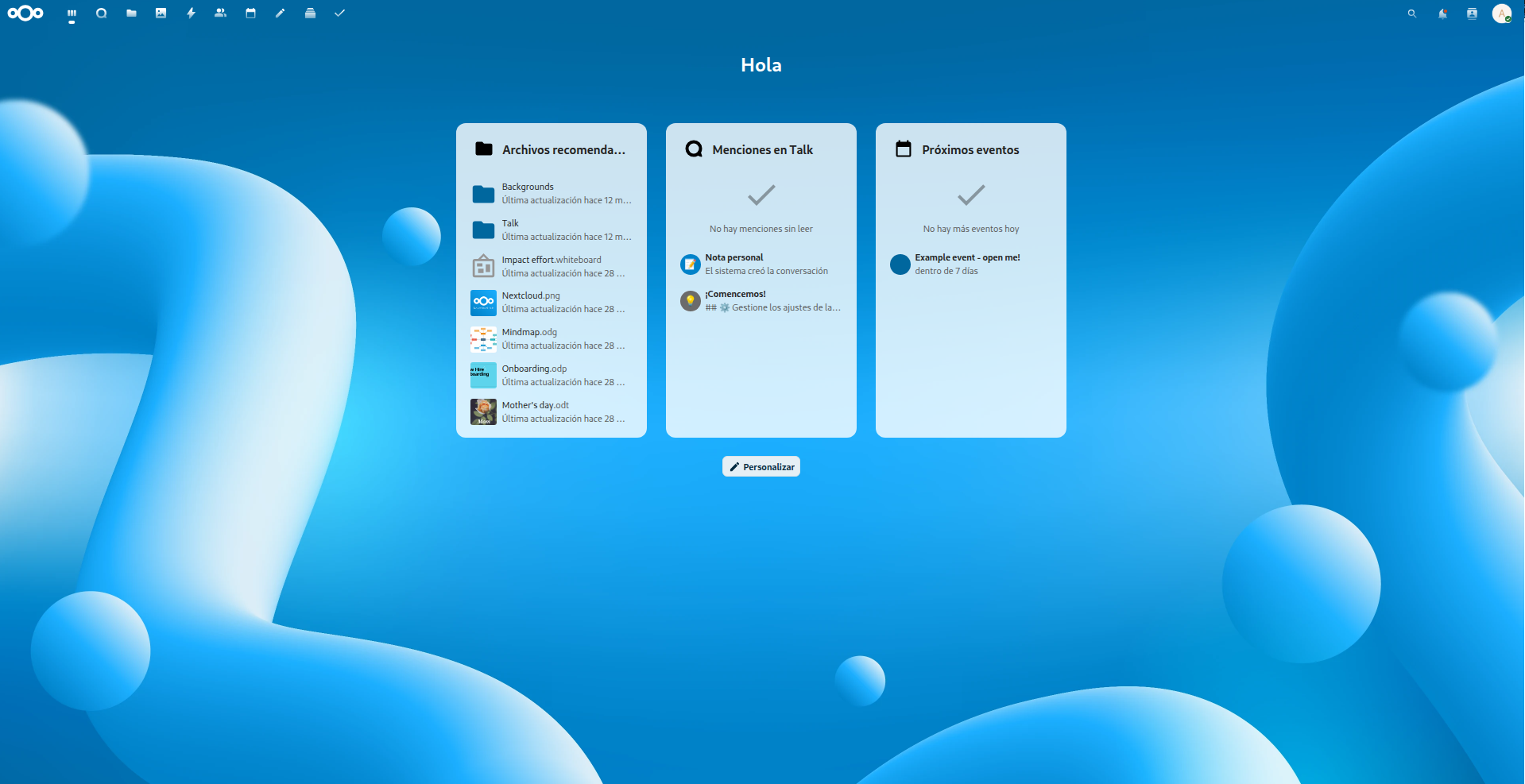
The AIO panel will show you the admin credentials for the first login.
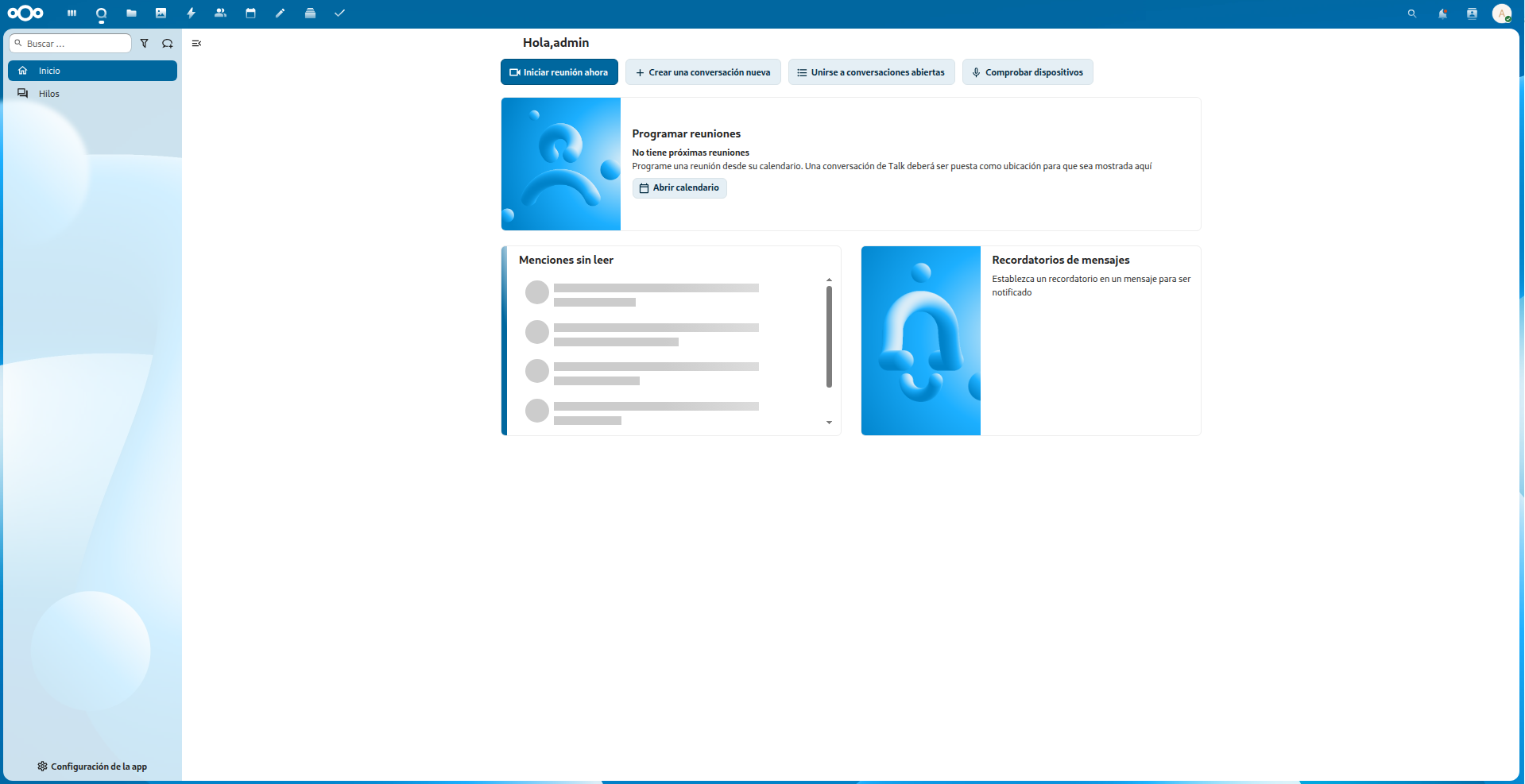
Inside Nextcloud, the Talk icon appears in the top bar. From here, the experience is straightforward: create a conversation, invite participants (by registered user or public link), and start talking. You can create password-protected rooms, share your screen, and send files directly from your Nextcloud instance. The mobile apps for Android and iOS connect using your server’s URL and your credentials.
AIO automatically configures the signaling server and coturn (TURN/STUN), so calls work out of the box. This matters because WebRTC connectivity is anything but trivial.
If you’ve ever set up a video calling system and run into the classic “works locally but not from outside” problem, you’ve likely encountered NAT traversal. When two devices try to communicate directly over WebRTC, they need to know their public IP addresses. A STUN server (Session Traversal Utilities for NAT) does exactly that: it tells each device what its IP looks like from the outside.
But there are situations where a direct connection simply isn’t possible: strict corporate firewalls, symmetric NAT networks, or particularly restrictive network configurations. That’s where TURN (Traversal Using Relays around NAT) comes in — a server that acts as an intermediary, relaying traffic between participants. It always works, but comes at a cost: all call traffic passes through the TURN server, which can generate significant bandwidth consumption.
The good news is that Nextcloud AIO ships with coturn as a built-in TURN/STUN server, configured automatically. You don’t need to touch a thing for calls to work between participants on different networks. If calls ever drop or fail to connect, knowing this layer exists will point you in the right direction for troubleshooting.
The decision to run your own communication system doesn’t have to be all-or-nothing. You can keep using Discord for large communities and public servers where it makes sense, and have your own Nextcloud Talk instance for the conversations you want to keep truly private. It’s not about picking a side — it’s about having the right tool for each context.
What does change is your relationship with the technology you use. When you rely exclusively on third-party platforms, you implicitly accept that the rules can change at any moment: today it’s age verification, tomorrow it could be something else. When you own your infrastructure, those decisions are yours to make. It’s not paranoia, it’s technical autonomy.
Happy Hacking!
That may interest you
In the previous article we explored how to install LMStudio, download models, and use them through …
read moreArtificial intelligence keeps transforming the way we work, but there’s a catch with how most …
read moreWhere do spammers get my data from? If you’re one of those people receiving calls from unknown …
read more